
Changelog
Everything we’ve shipped in Quicklead, newest first.
- 2026
-
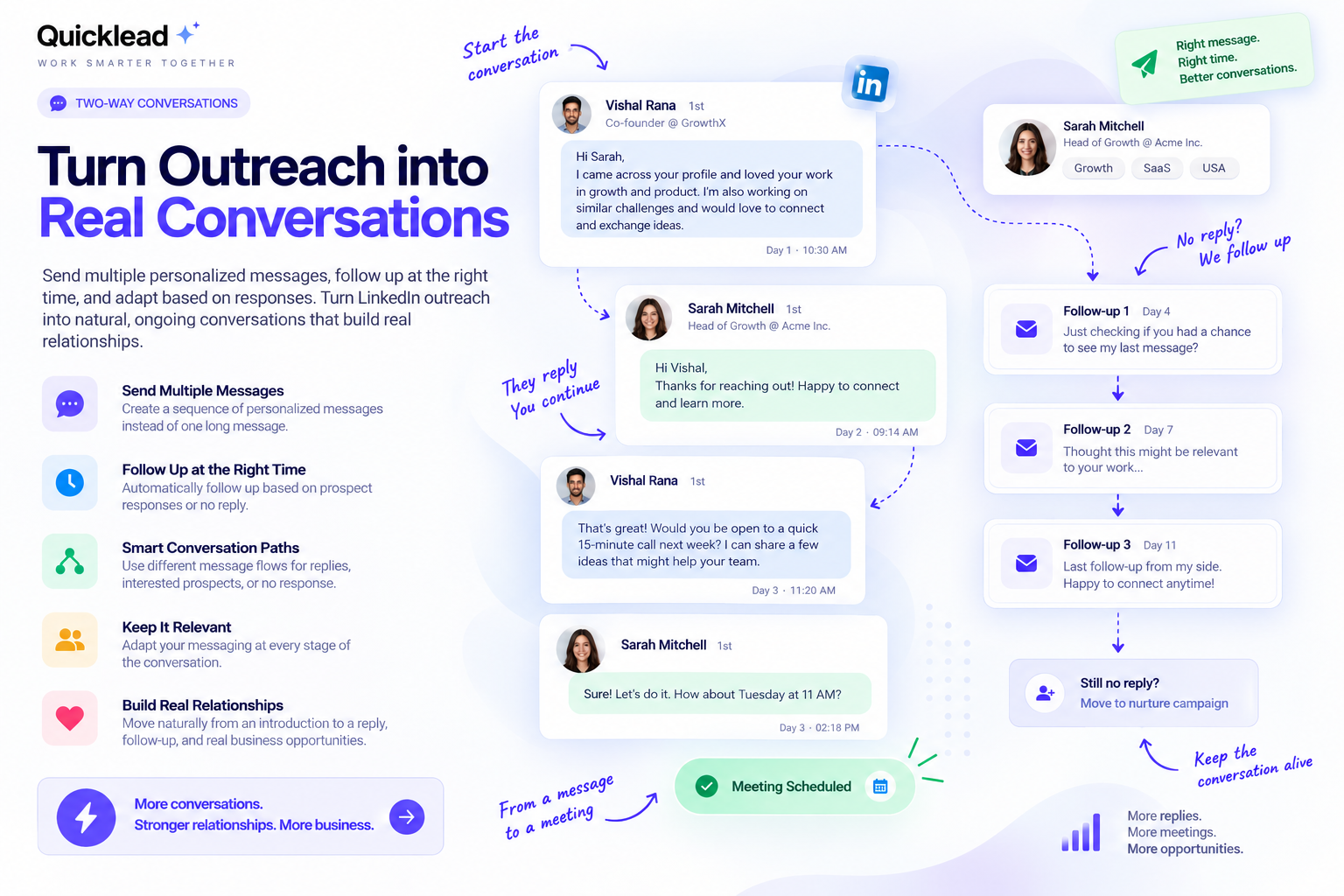
Turn outreach with multiple messages.
v3.9.5 — Turn LinkedIn outreach into ongoing, two-way conversations.
- Send messages throughout the conversation
- Follow up based on prospect responses
- Use separate paths for replies and no replies
- Keep every interaction relevant
- Turn outreach into real business conversations
-
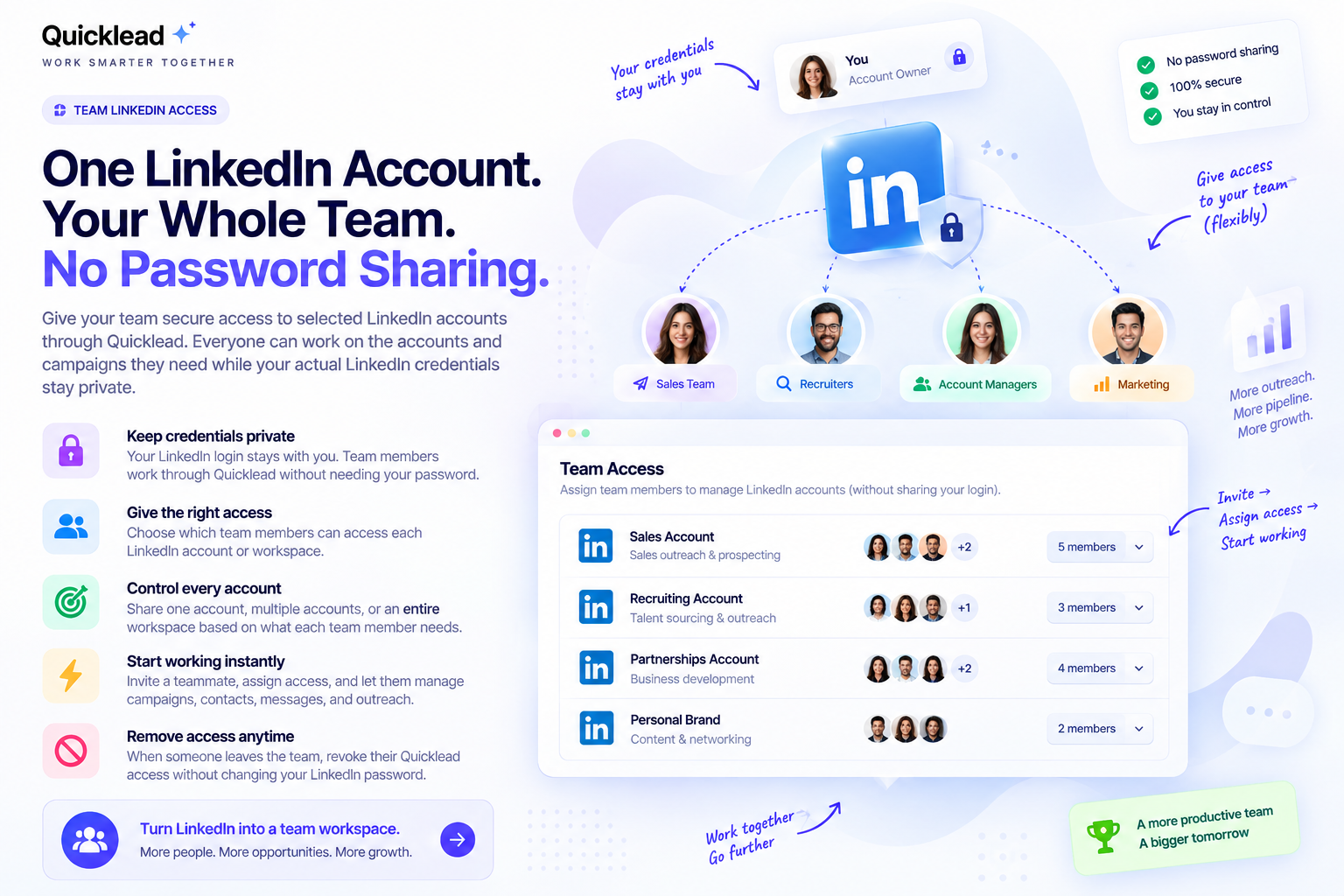
Securely Share LinkedIn Access 🔐
v3.9.4 — Give your team secure access to LinkedIn accounts without sharing passwords.
- Keep LinkedIn credentials private
- Control team access to accounts
- Assign accounts by team or workspace
- Manage campaigns, contacts, and outreach
- Remove access anytime
-
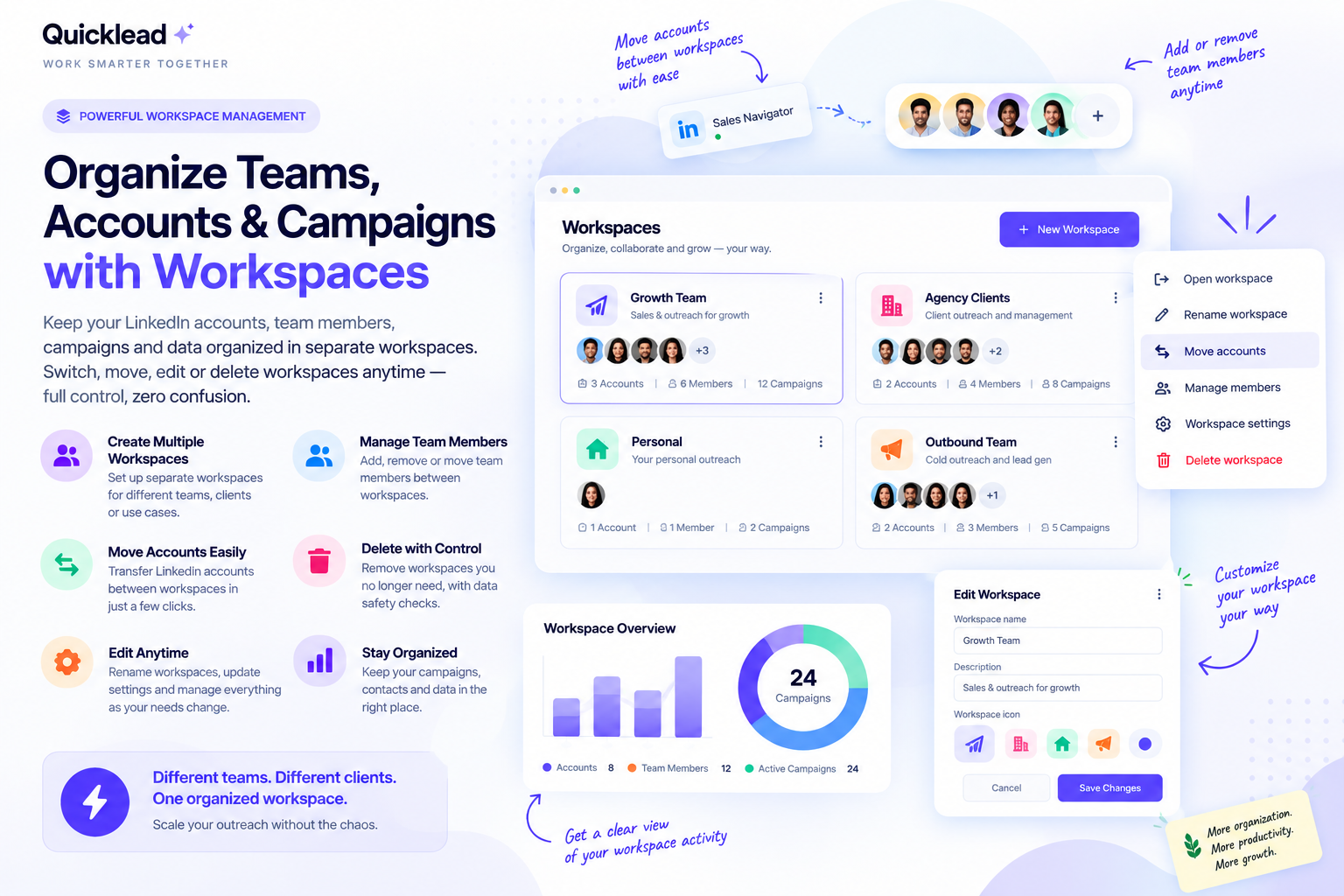
Manage Accounts with Workspaces 🚀
v3.9.3 — Organize your LinkedIn accounts, team members, campaigns, and contacts into separate workspaces.
- Create workspaces for teams or clients
- Move accounts between workspaces
- Manage team access per workspace
- Keep data, campaigns, and contacts separate
-
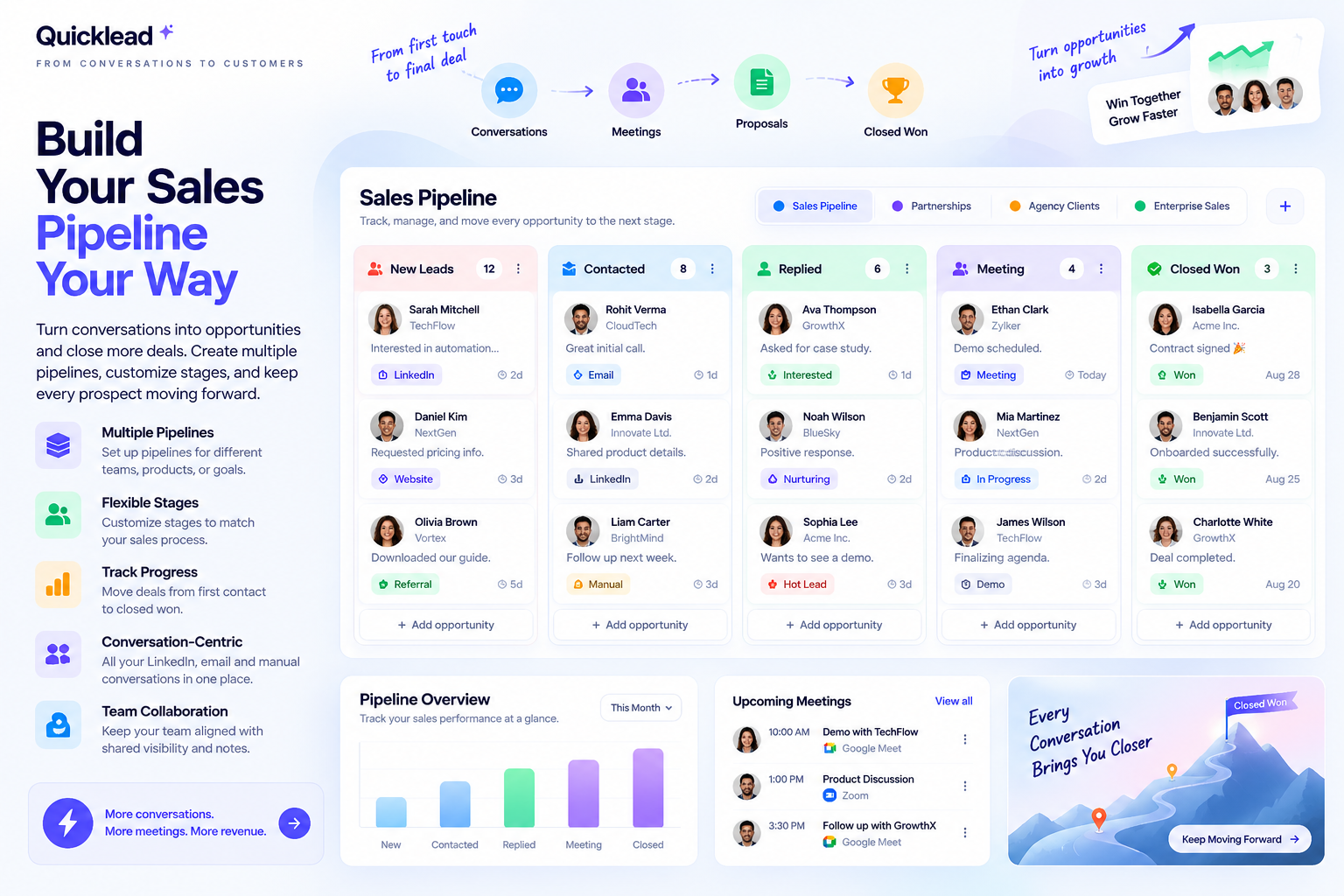
Build Your Sales Pipeline Your Way🚀
v3.9.2 — Manage multiple sales pipelines and keep every opportunity organized.
- Separate workflows for teams or goals
- Move prospects through custom stages
- Keep every opportunity organized
-
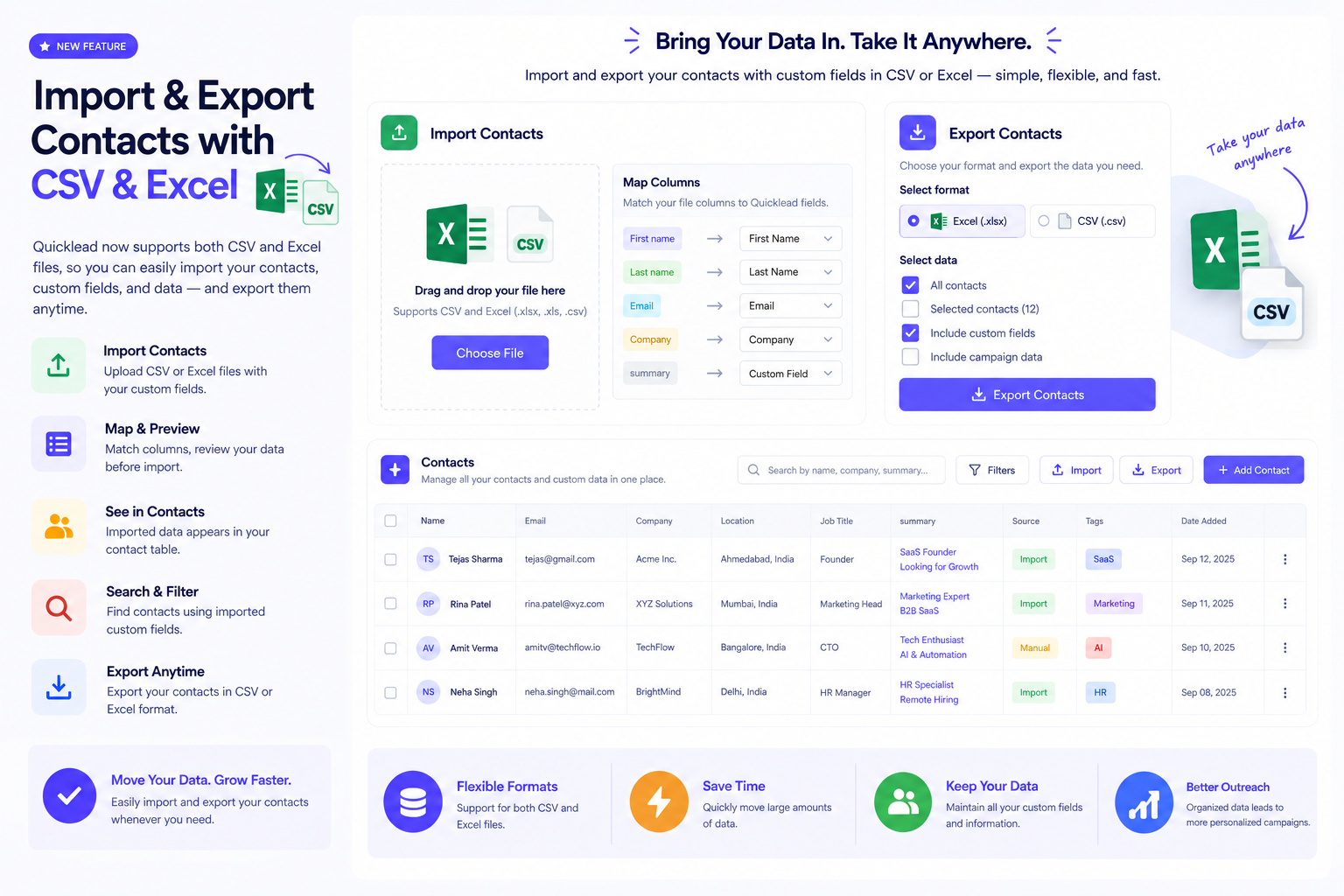
Import & Export Contacts 🚀
v3.9.1 — Bring your own contact data in from Excel and use it everywhere.
- Import your own fields from a spreadsheet
- See them directly in your contact table
- Search and filter using your custom values
- Use custom fields in messages and campaigns
-
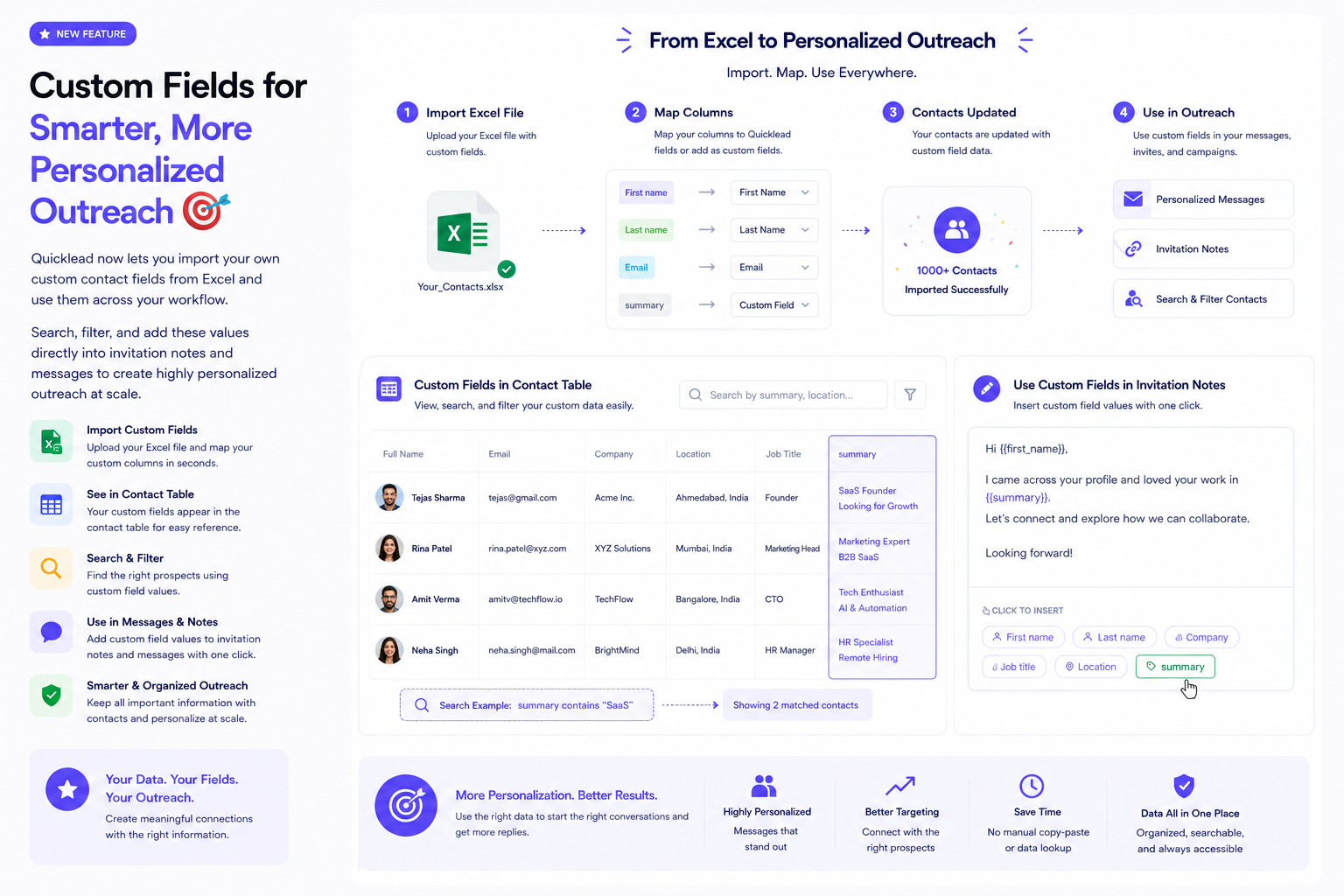
Custom Fields for Smarter, More Personalized Outreach 🚀
v3.9.0 — Bring your own contact data in from Excel and use it everywhere.
- Import your own fields from a spreadsheet
- See them in the contacttable
- Search and filter on your own values
- Use into invitation notes and campaign messages
-
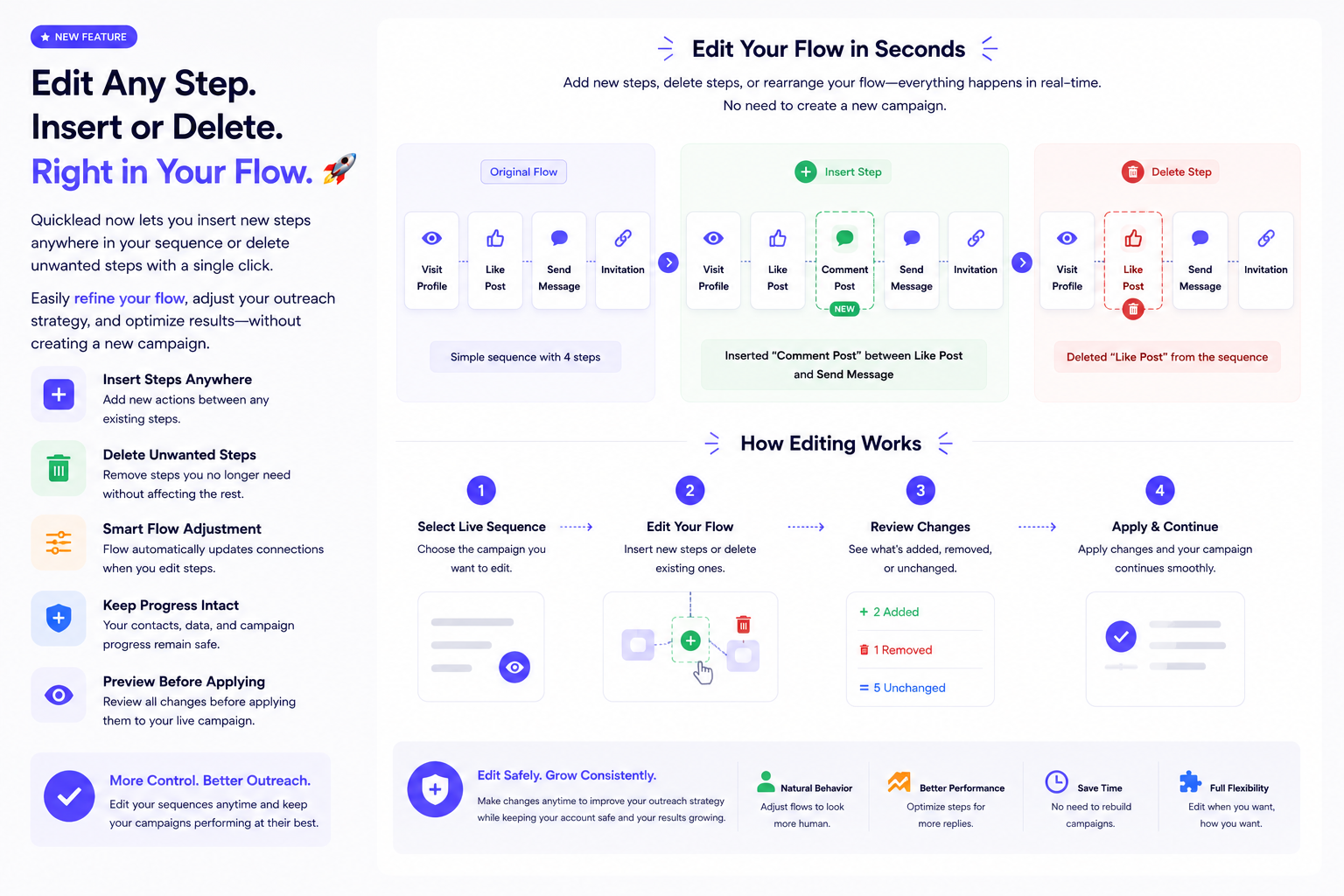
Edit Your Campaign Flow Without Starting Over 🚀
v3.8.1 — Insert or remove steps anywhere in a sequence, while it runs.
- An action added between two existing steps
- Steps you no longer want removed
- Review changes before applying
- Contacts continue from where they already are
-
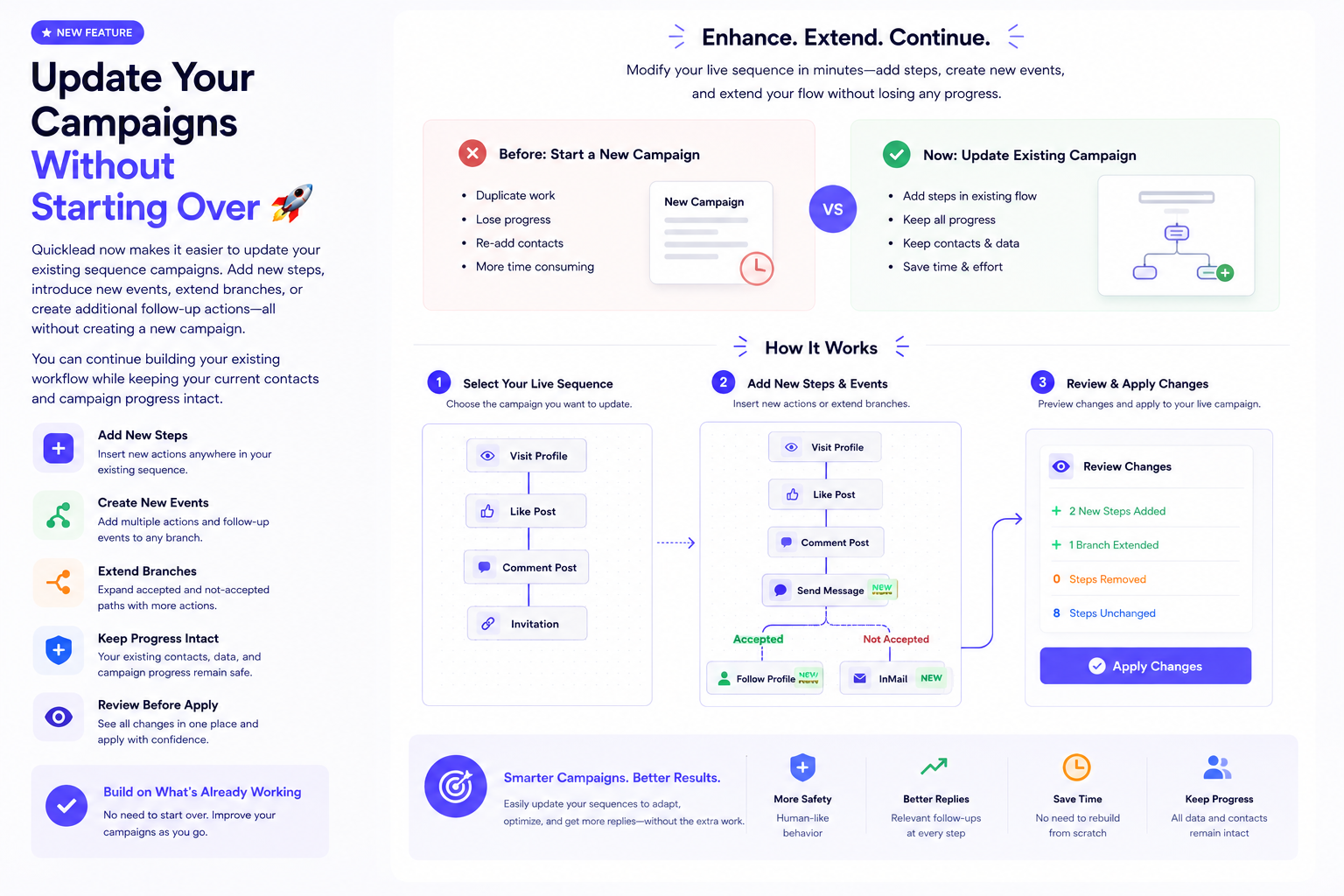
Update YourCampaigns Without Starting Over 🚀
v3.8.0 — Add to a sequence that is already running instead of rebuilding it.
- Add steps, events, and follow-ups
- Extend accepted and not-accepted paths
- Every change reviewed before it applies
- Keep contacts and their progress intact
-
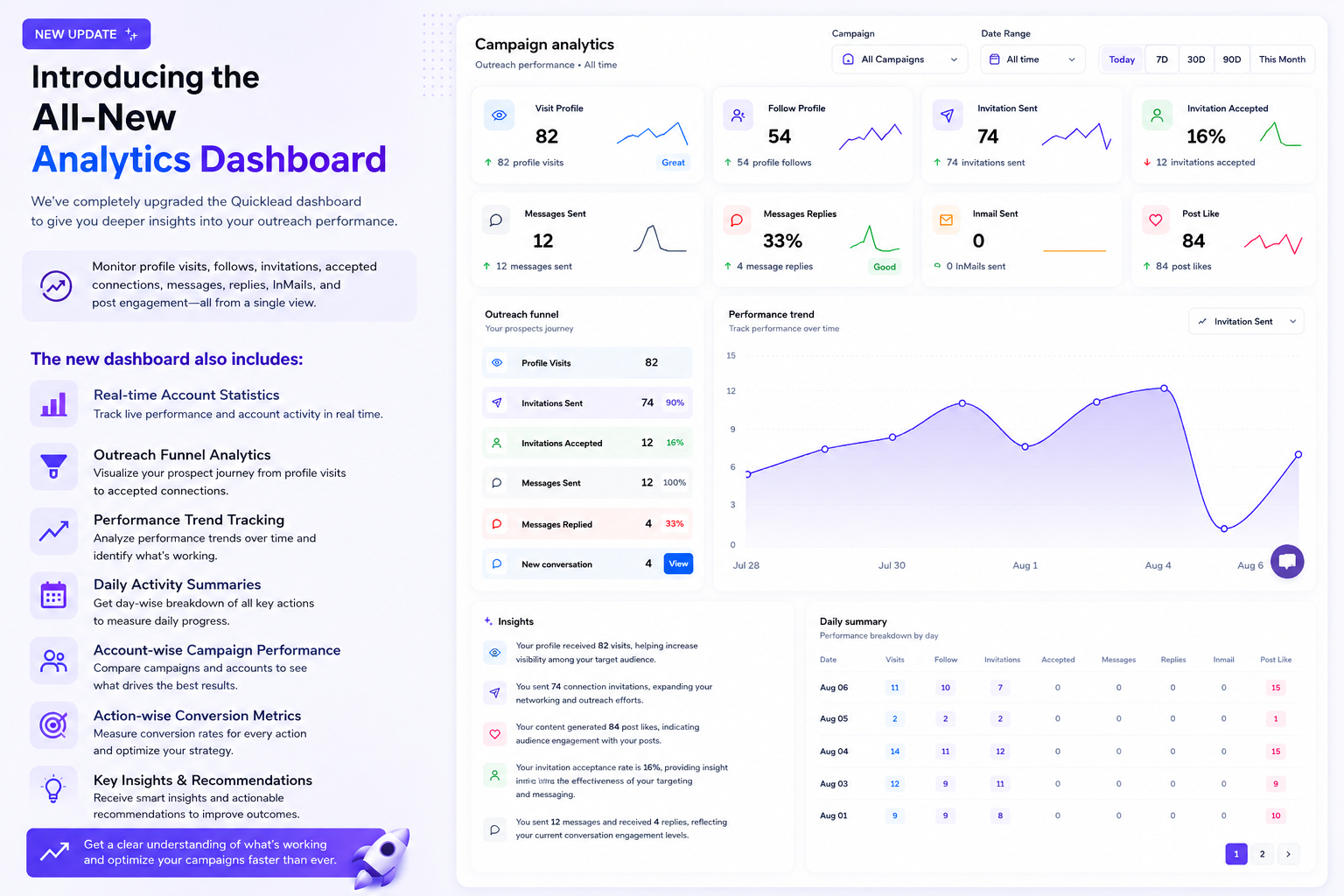
Introducing the All-New Analytics Dashboard
v3.7.0 — Every action in one view, with the numbers behind it.
- Visits, follows, invitations, accepted connections, messages, replies, InMails and post engagement
- Real-time account statistics and the outreach funnel
- Performance trends and daily activity summaries
- Account and action level conversion metrics
-
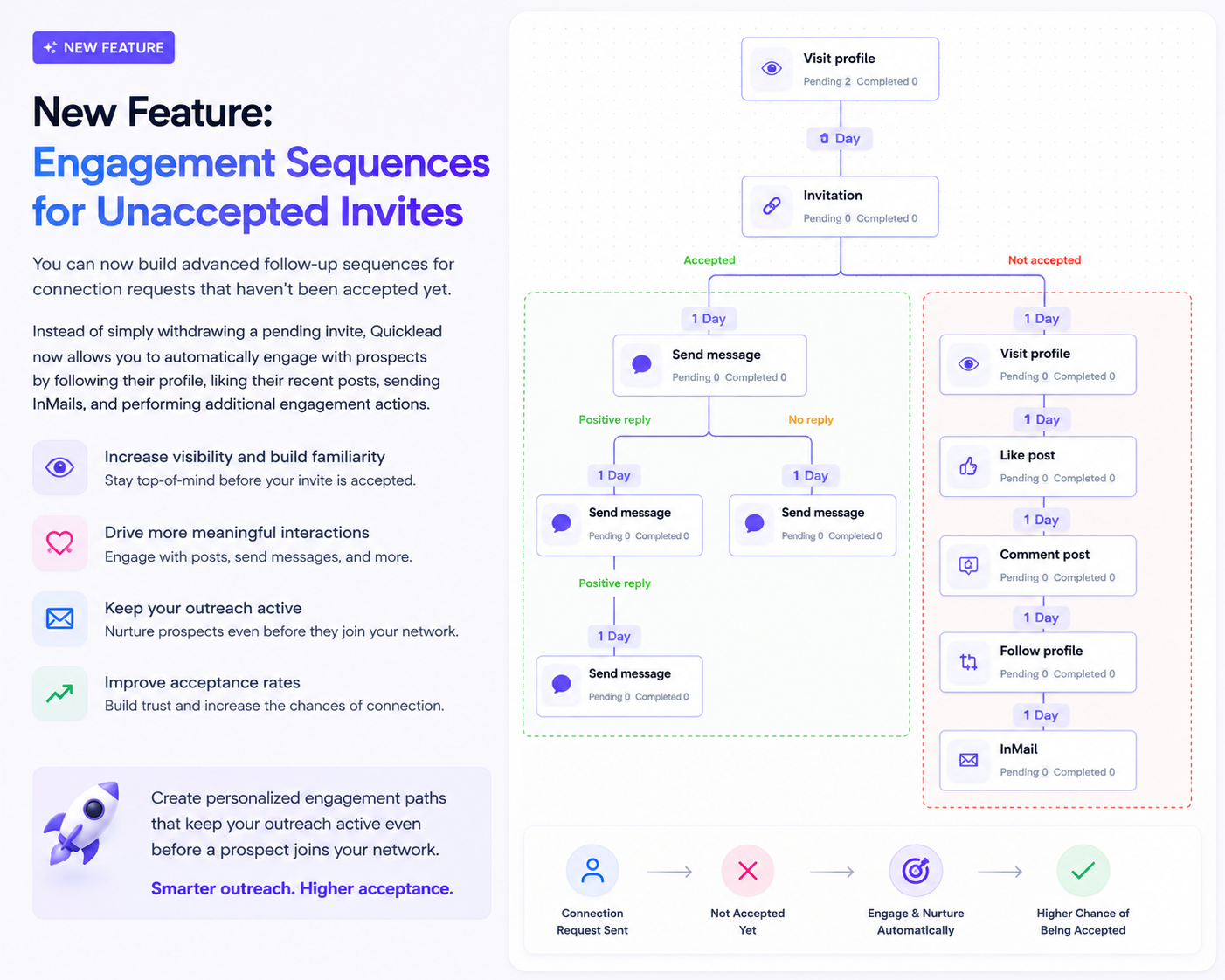
Engagement Sequences for Unaccepted Invites
v3.6.1 — Keep working on a prospect while the invite is still pending, instead of only withdrawing it.
- Follow the profile and like recent posts
- Send an InMail while the invite sits unaccepted
- Build familiarity before they decide
- An engagement path of your own per campaign
-
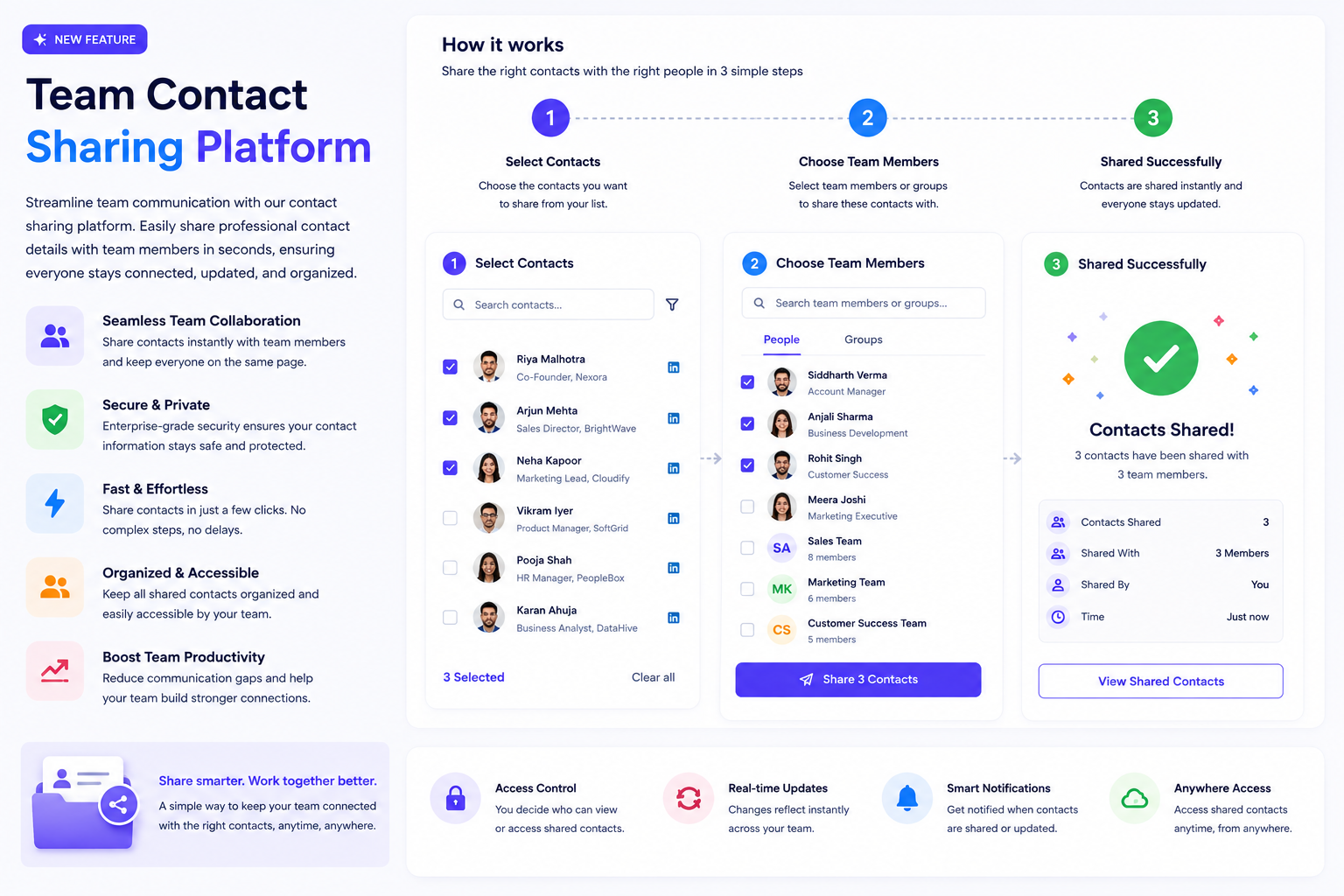
Team Contact Sharing Platform
v3.6.0 — Hand a contact to the rest of the team in seconds.
- Share professional contact details across the team
- Everyone working from the same current information
- Secure, and reachable wherever the team is
-
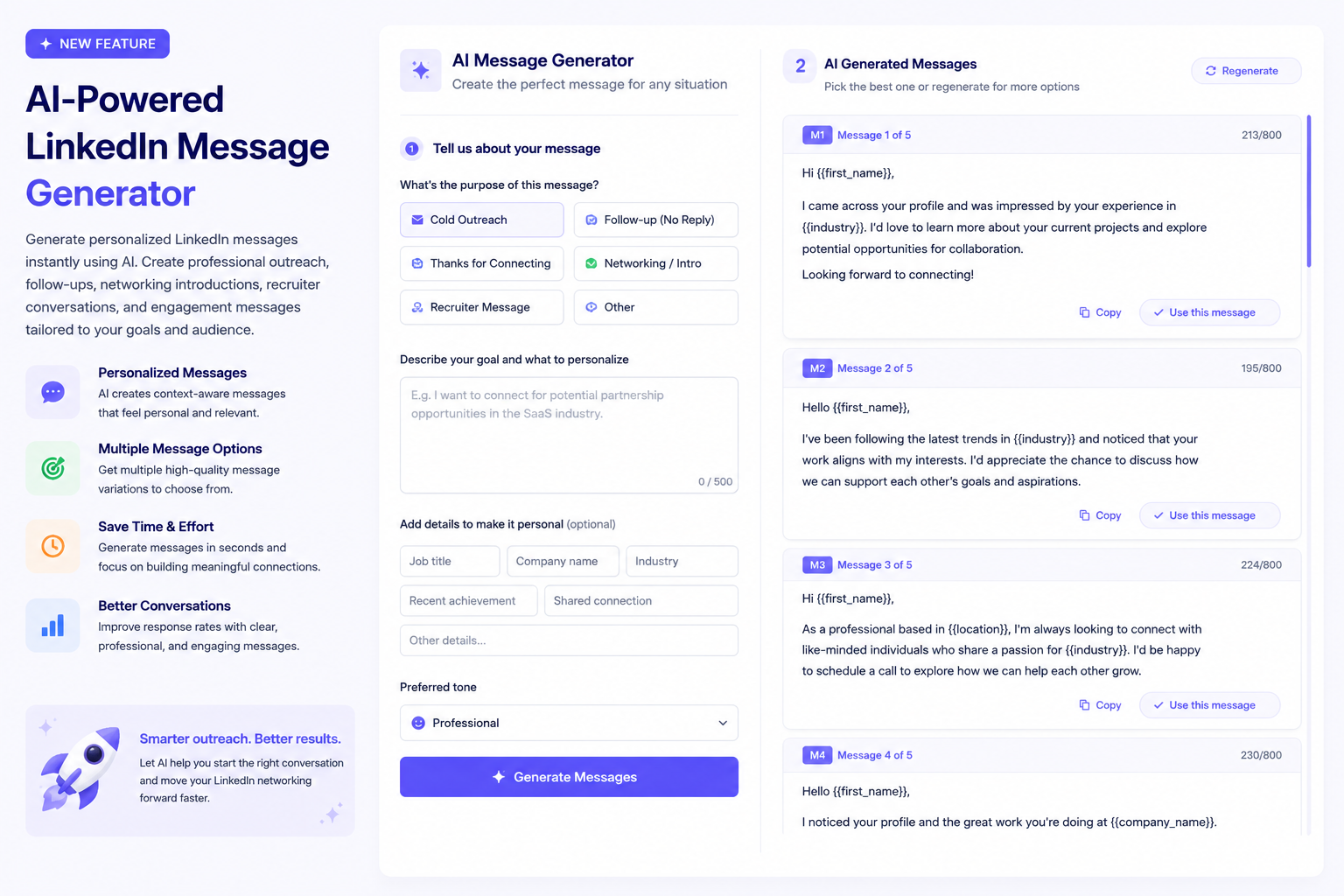
AI-Powered LinkedIn Message Generator
v3.5.1 — Personalised LinkedIn messages, written for you in seconds.
- Outreach, follow-ups and networking introductions
- Recruiter conversations and engagement messages
- Written to your goal and your audience, in your words
-
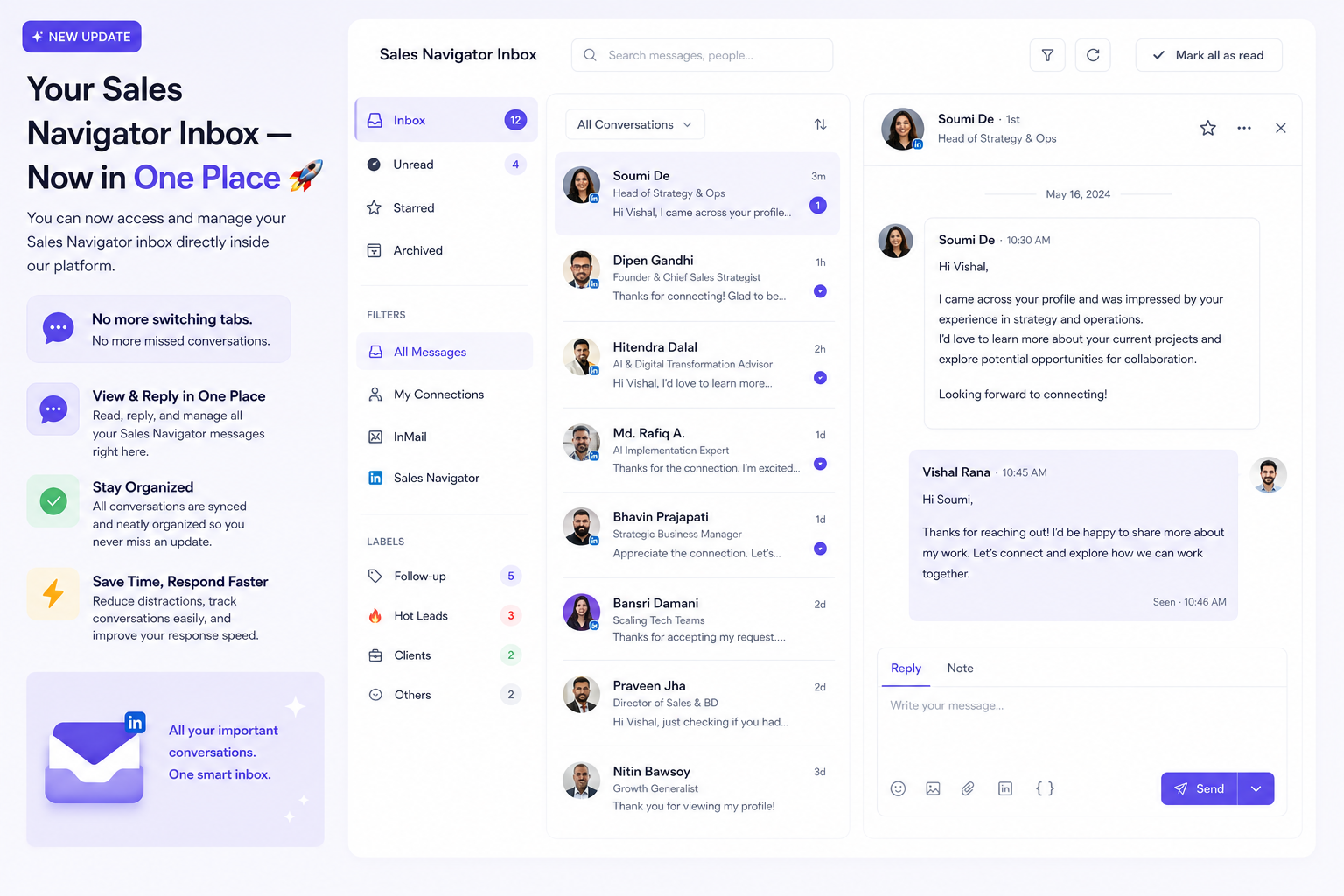
Your Sales Navigator Inbox — Now in One Place 🚀
v3.5.0 — Read and answer Sales Navigator conversations without leaving Quicklead.
- Sales Navigator messages in your Quicklead inbox
- Reply from the same place you run the campaign
- Every conversation in one list, so none is missed
-
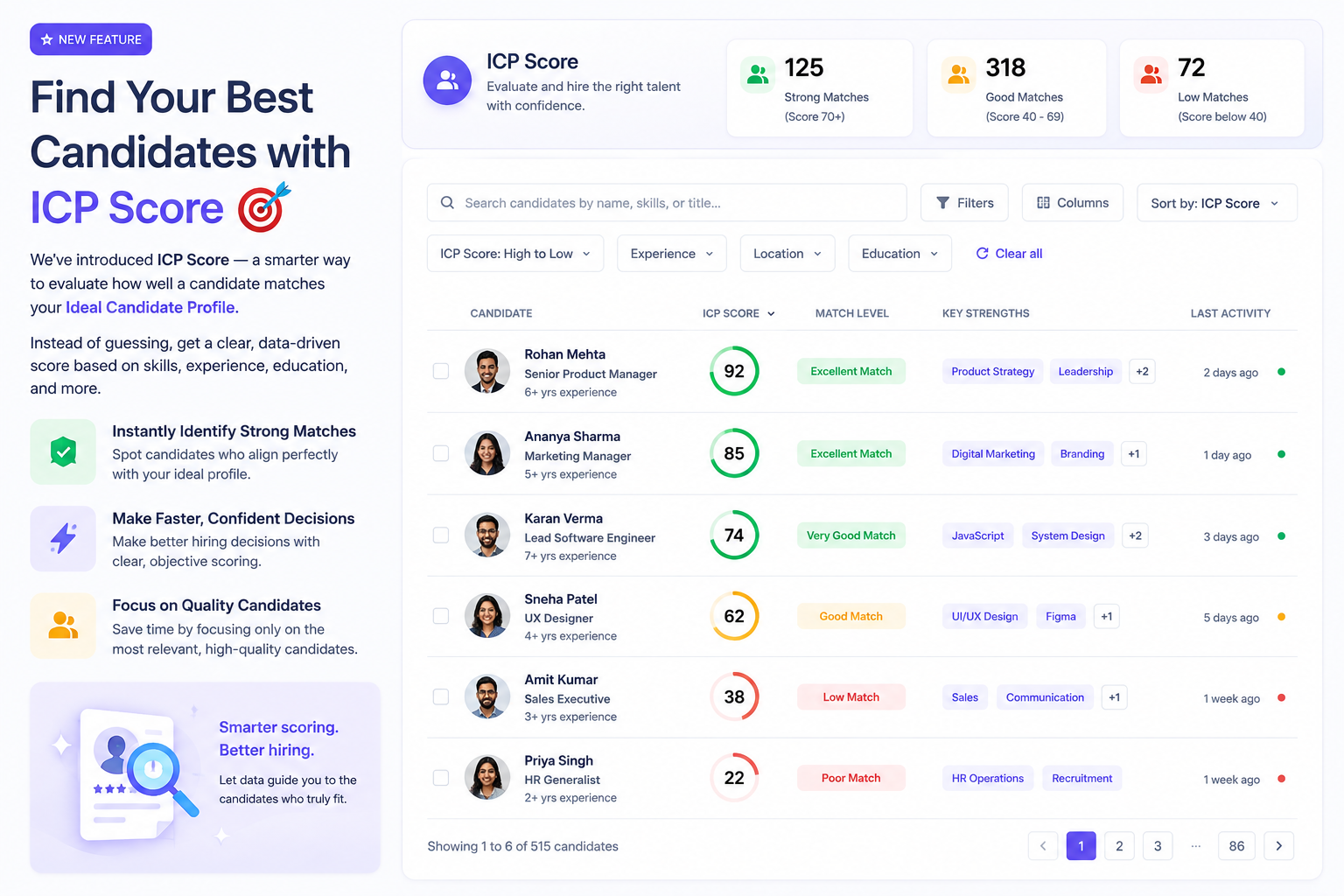
Find Your Best Candidates with ICP Score 🎯
v3.4.1 — A score for how well a candidate matches your ideal profile, instead of a guess.
- Scored on skills, experience, education and more
- Strong matches surfaced immediately
- Time spent on the candidates worth spending it on
-
Powerful Integrations, Zero Coding
v3.4.0 — Connect Quicklead to the tools you already run, with no technical setup.
- HubSpot, Zoho CRM, Zapier and Slack
- Data synced as it changes
- Real-time events to drive your own workflows
- Nothing to code
-
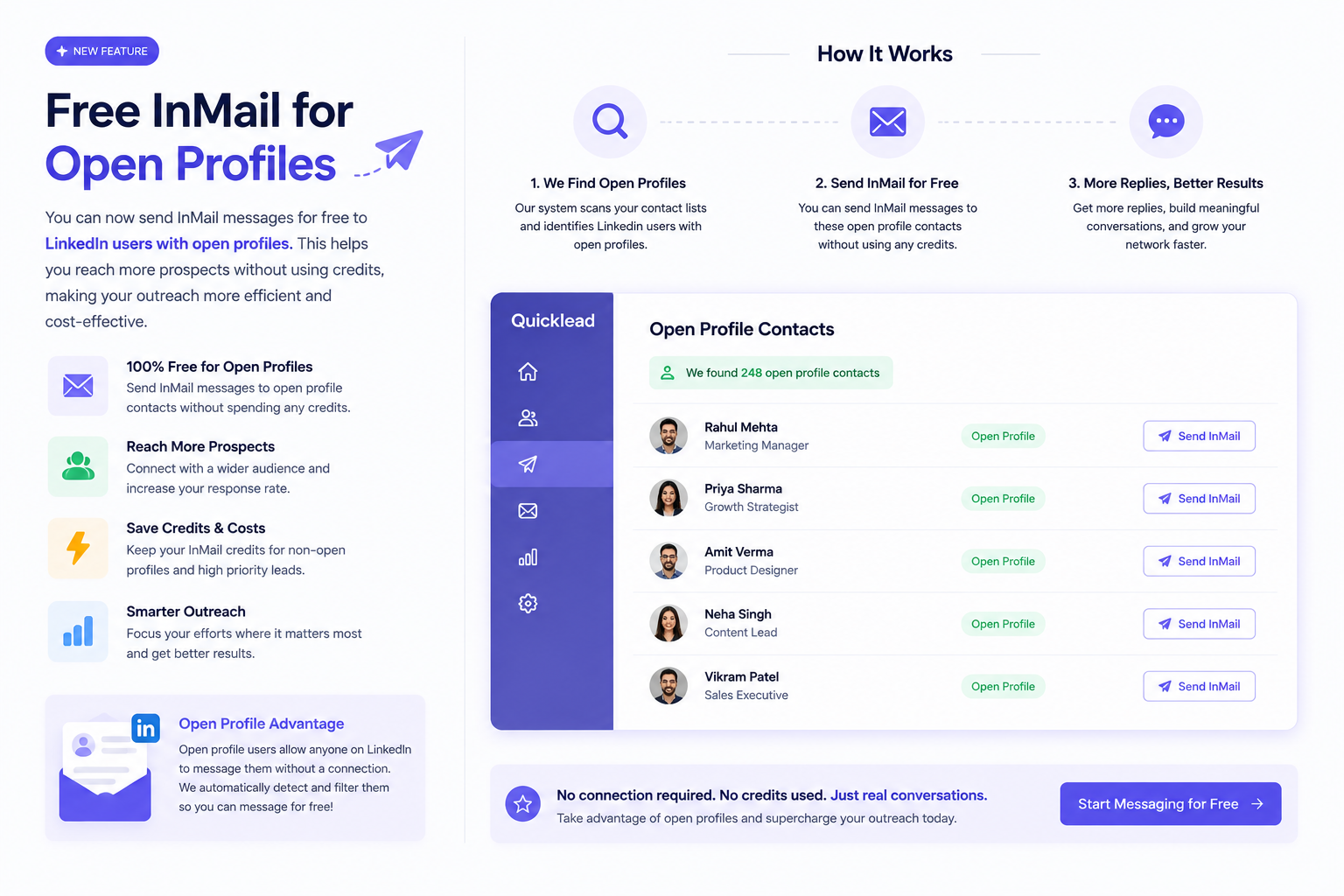
Free InMail forOpen Profiles
v3.3.1 — Message anyone with an open profile without spending a credit.
- InMail to open profiles at no cost
- More prospects reached on the same balance
- Credits kept for the profiles that actually need them
-
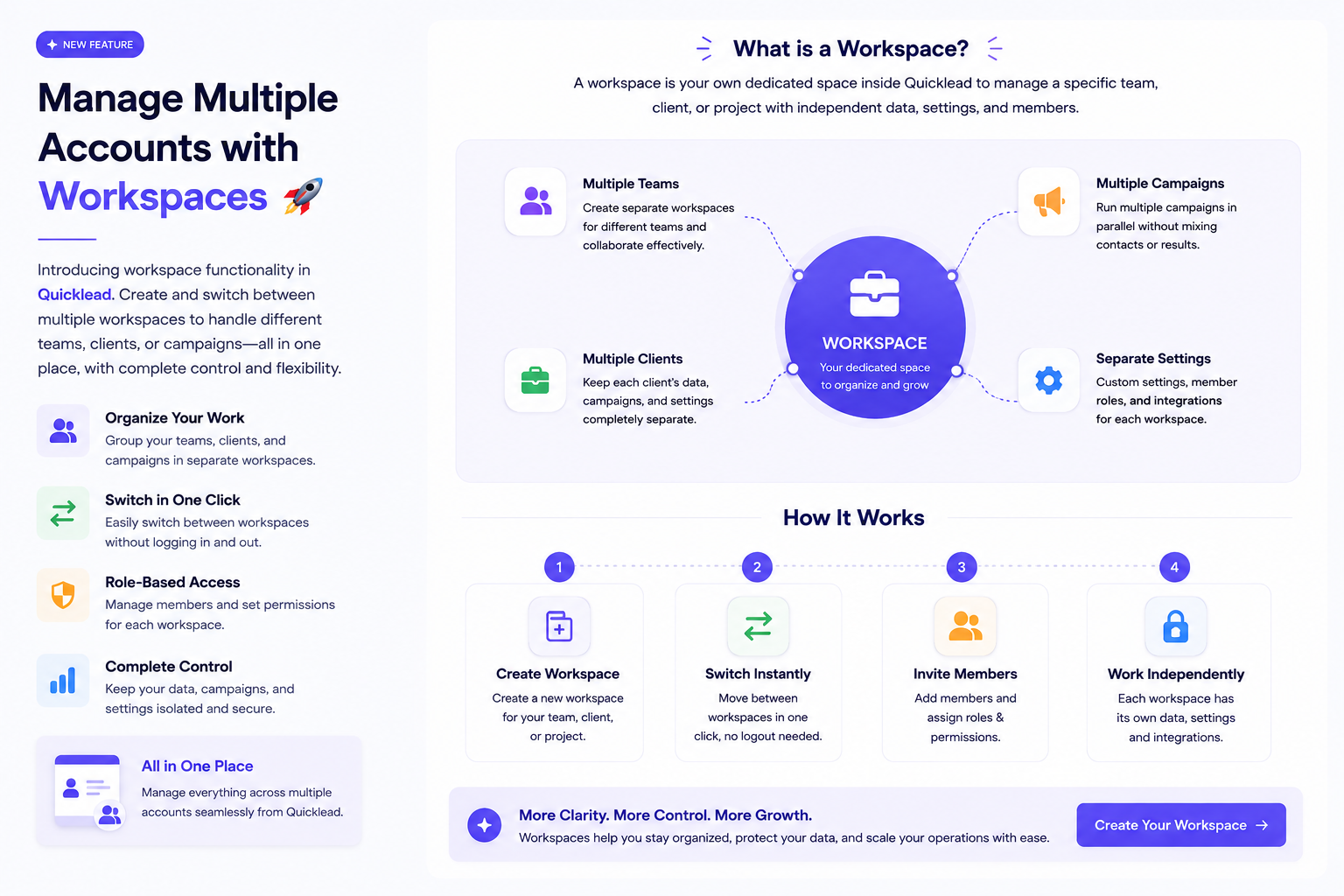
Manage Multiple Accounts with Workspaces
v3.3.0 — Keep teams, clients and campaigns apart without keeping separate accounts.
- Create as many workspaces as you need
- Switch between them in one click
- Each one holds its own profiles, campaigns and data
-
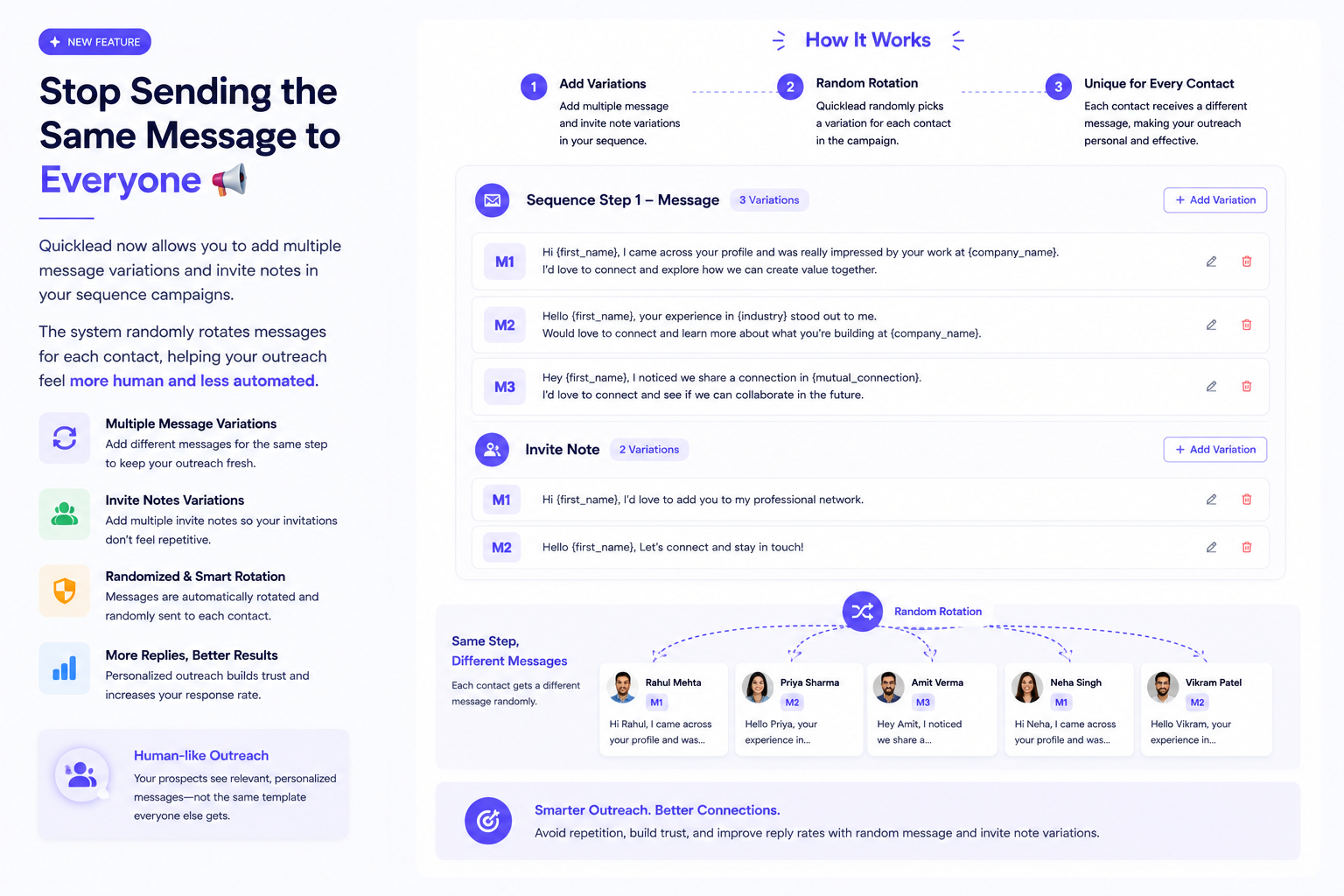
Stop Sending the Same Message to Everyone 📢
v3.2.1 — Write several versions of a message and let the sequence rotate them.
- Multiple message variations and invite notes per step
- A version picked at random for each contact
- Outreach that reads as written rather than sent
-
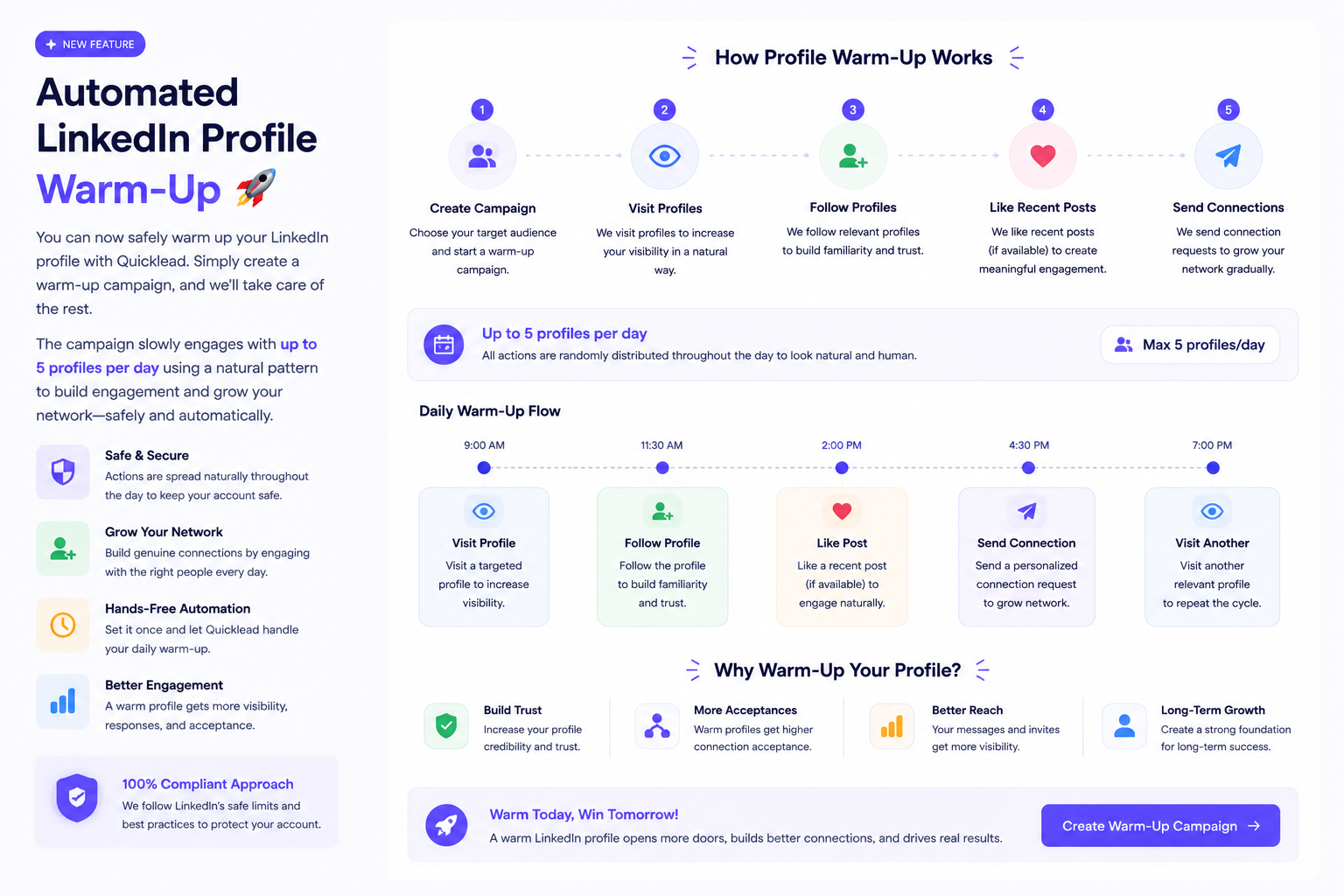
Automated LinkedIn Profile Warm-Up 🚀
v3.2.0 — Create a warm-up campaign and we ease a new LinkedIn account into activity for you.
- Up to 5 profiles a day
- Visits, follows, likes on recent posts and connection requests
- Actions spaced naturally across the day
- Nothing to do by hand once it is running
-
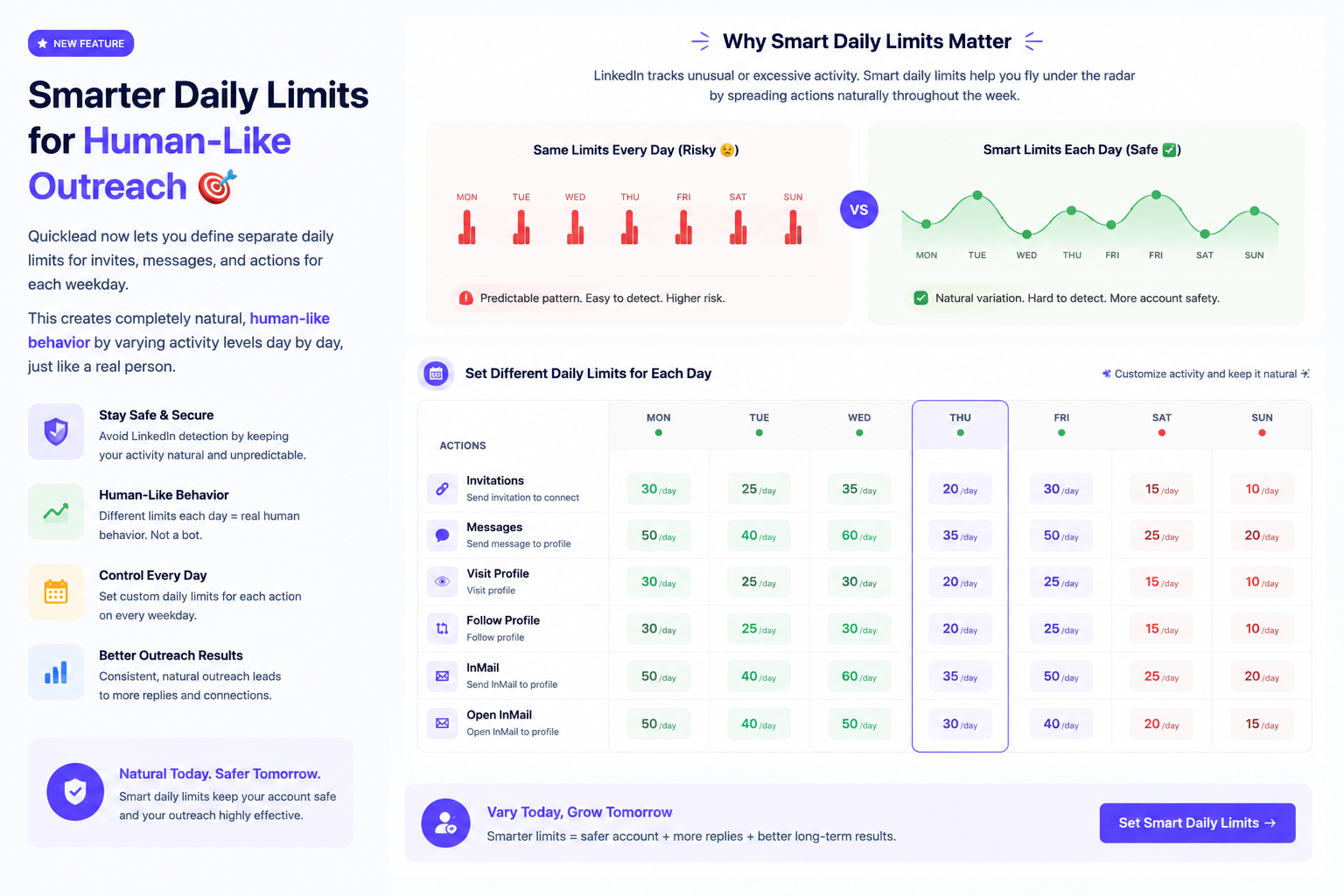
Smarter Daily Limits for Human-Like Outreach
v3.1.1 — Set a different daily limit for each weekday, so activity varies the way a person's does.
- Separate limits for invites, messages and actions
- A limit of its own for every weekday
- Activity that rises and falls dayby day rather than running flat
-

Run Multiple Campaigns at the Same Time 🎯
v3.1.0 — Launch, manage and scale your outreach without waiting on a queue.
- Run several campaigns at the same time
- No waiting for one to finish before the next can start
- Every campaign managed from the same place
-
Profile warm-up 🔥
v3.0.0 — Ease a new LinkedIn account into activity instead of going full speed on day one.
- Automatic account warm-up
- Visitor list with delete
- Partner form submissions
- Chart zoom fixed on the dashboard
- 2025
-
Charts and coverage 📊
v2.9.1 — More reporting, more countries.
- LinkedIn API charts
- Norway and Singapore added to the proxy list
- Better campaign action timing
-
Filters everywhere 🔍
v2.9.0 — Narrow things down wherever you are.
- Filters across campaign creation and sequence views
- Tooltips on Contacts, Connections, Reminder and Social Signal
-
Housekeeping
v2.8.1 — Tidying up.
- Removed proxy countries our provider does not offer
- Updated help-desk links
- Clearer plan wording
-
Social Signal 📡
v2.8.0 — Find people by what they are postingabout, not just who they are.
- Track keywords and pull in posters, commenters and likers
- Intent detection across profiles
- Credit alerts before a run spends them
-
AI writes your sequence 🤖
v2.7.0 — Draft a whole campaign, then check it before anything sends.
- AI-written campaign messages
- A confirmation step before sending
- Reach a campaign straight from the inbox
-
Cloud hardening
v2.6.0 — Quieter, steadier, fewer surprises.
- Better connection limit handling
- Faster live chat lookups
- Clearer message on unsupported browsers
-
A better way to add an account
v2.5.0 — Choosing a country and searching, rather than guessing.
- New add-account flow with country choice and search
- A guided extension install step
- Deleting an account now clears everything behind it
-
Fallback messages
v2.4.0 — Personalisation with nothing to fill no longer sends an awkward gap.
- Fallback text for InMail and message steps
- User and error counts on the account dashboard
- Better handling when an account token expires
-
Connect without the extension ☁️
v2.3.0 — Add a LinkedIn account through our secure cloud browser. No installation required.
- Cloud accounts, no extension needed
- Cloud accounts shown on the dashboard
- Settings and billing redesigned
-
Your connected accounts, listed
v2.2.0 — A proper view of every LinkedIn account you have connected.
- List view and actions for connected accounts
- Extension install is now the first onboarding step
- Notes and email moved out of the Starter plan
-
Team visibility
v2.1.0 — Working as a team just got easier.
- Members above the User role can see each other's campaigns
- Per-member activity log
- Automatic contact import
-
Reply from your inbox 💬
v2.0.0 —A major one. Read and reply to LinkedIn conversations inside Quicklead.
- Live chat in the inbox
- Chat available inside the campaign message view
- Contact activity filters fixed
- 2024
-
Export to Excel
v1.9.1 — Take your data with you.
- Export contacts and connections to Excel
- Today's reminders highlighted
- Easier editing of contact and connection lists
-
Attachments in replies 📎
v1.9.0 — Send a file without leaving the conversation.
- Attach files to chat replies
- Edit saved templates
- Predefined templates to start from
- Tagfilters remember what you set
-
Visit limits everywhere
v1.8.0 — Daily limits now respected across every campaign type, not just some.
- Visit-profile limits applied consistently
- Filters when creating a campaign
- Chat history on contact details
- Team requests survive a plan expiry
-
See who you visited
v1.7.0 — Profile visits now reported alongside everything else.
- Visit-profile status badges
- Visit counts on the campaign list
- Import files up to 5 MB
-
Campaign detail polish
v1.6.1 — Small improvements where you spend the most time.
- Refresh a campaign without reloading the page
- Clearer invite message length limits
-
Sequences ✨
v1.6.0 — Chain steps together and let a campaign run itself.
- Multi-step sequences with send-message and withdraw steps
- A no-reply badge so stalled conversations stand out
- Contact sync suggestions
-
Rewrite any AI message 🤖
v1.5.0 — Do not like what the AI wrote? Ask again.
- Regenerate button on every AI message
- Create templates with AI
- Faster chat loading
-
Quick Assist
v1.4.0 — Answers about your contacts, connections and campaigns without leaving the page.
- Quick Assist available across the app
- Help articles built in
- AI message renamed to AI Personalized message so it is clear what it does
-
Email Finder 📧
v1.3.0 — Find work email addresses for the people you are already talking to.
- Email Finder with a credit balance
- Buy extra credits when you need them
- Build an email list from saved connections
-
Longer templates, better search
v1.2.0 — Room to write properly, and a faster way to find a campaign.
- Templatesup to 10,000 characters
- Use a saved connection list in a send-message campaign
- Search your campaigns
- Terms accepted when a campaign is created
-
Access and trust
v1.1.1 — Tightening up who can see what.
- Opening a contact you no longer have access to no longer errors
- An authorisation notice now appears at the top of the page
-
Message templates
v1.1.0 — Stop rewriting the same message. Save it once and reuse it.
- Browse, pick and delete templates
- Templates available wherever you write a message
- You are signed out cleanly when a session expires
- 2023
-
A smoother start
v1.0.1 — Small polish across sign-up and campaign creation.
- Clearer confirmation after you sign up
- Profile pictures now show when creating a campaign
- A fallback image when a picture cannot load
-
Quicklead is live 🚀
v1.0.0 — The first public release. Run LinkedIn outreach campaigns from one place, without spreadsheets.
- Build campaigns from your contacts and connections
- Sign in with Google
- Runs through the Quicklead browser extension
Release notes are on their way
Follow along on the roadmap in the meantime.